Neurofeedback Training:
Quick Setup & Troubleshooting Guide
Not Sure Where to Start?
These videos provide step-by-step troubleshooting instructions.
Tips for Good Signal Quality - Calibri
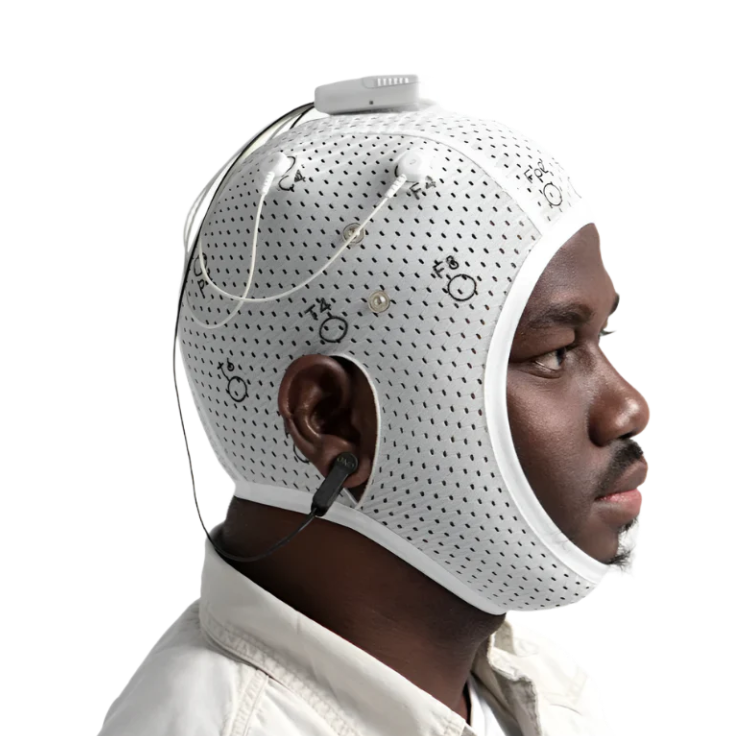
Tips for Good Signal Quality - BrainBit Flex
Make sure the device is charged, the client is seated comfortably in a quiet space with their body supported, wired headphones are available, smart devices are at least 3 feet away, there is no product in the client’s hair, and the streaming app or YouTube video is ready.
Remove hair product from the areas where the sensors need to make contact. A small amount of rubbing alcohol can be used if needed.
Keep smart devices at least 3 feet away during the session.
The device should be snug but comfortable. Allow the sensors to warm up against the skin and make sure they are touching the scalp.
Place the ear clips on the earlobes and make sure they are not touching any piercings.
Make sure the device is snug, the sensors are touching the scalp, the sensors have had time to warm up against the skin, the ear clips are correctly positioned, there is no hair product interfering with sensor contact, and smart devices are at least 3 feet away. The guide instructs providers to confirm a good signal before starting the session.
Open the sym pathway app, select the protocol under Today’s Activities, complete the progress tracker, follow the prompts, confirm you are getting a good signal, and select Start Session. Then go to the streaming app and begin the video.
Start the session in the Pathway App first. Once the session has started, open the streaming app and begin the video.
Not necessarily. The streaming video will continue playing until you stop it, but the neurofeedback session is controlled by the timer set by the neuro-technician and will end when that timer is complete.
A pop-up will appear letting you know that the session is complete.
Return to the training app and select Complete Session. This step saves the session data.
Yes. The guide specifically instructs you to return to the training app and select Complete Session so the session data is saved.
Turn off the neurofeedback device, close the Pathway App, and safely store both the tablet and the device.
Clean the sensors with a mild detergent every 10 sessions.
If you still have questions or need support, text 843-438-7775.
© 2026 SYMMETRY Neuro-Pathway Training. All rights Reserved